# Tron市值机器人教程

## 1.打开市值管理页面 <a href="#id-1.-lian-jie-qian-bao" id="id-1.-lian-jie-qian-bao"></a>

进入Tron市值管理页面 <https://tron.gtokentool.com/#/market>，

## 2.输入要进行批量交易的币种 <a href="#id-2.-shu-ru-yao-jin-xing-pi-liang-jiao-yi-de-bi-zhong" id="id-2.-shu-ru-yao-jin-xing-pi-liang-jiao-yi-de-bi-zhong"></a>

通过输入代币合约来对代币进行搜索,并选择对应的目标代币。

<figure><img src="/files/uiEwpacikpv7vJKPLJgI" alt=""><figcaption><p>输入兑换代币</p></figcaption></figure>

## 3.查看交易池代币的当前价格 <a href="#id-3.-cha-kan-jiao-yi-chi-dai-bi-de-dang-qian-jia-ge" id="id-3.-cha-kan-jiao-yi-chi-dai-bi-de-dang-qian-jia-ge"></a>

选择完代币之后滑动到屏幕最下方的日志，查看当前的交易池代币的当前价格。点击清空日志则可以将日志信息清除。

<figure><img src="/files/v6UoXBnvSuD6ozyPa5RN" alt=""><figcaption><p>查看当前价格</p></figcaption></figure>

## 4.导入批量钱包 <a href="#id-4.-dao-ru-pi-liang-qian-bao" id="id-4.-dao-ru-pi-liang-qian-bao"></a>

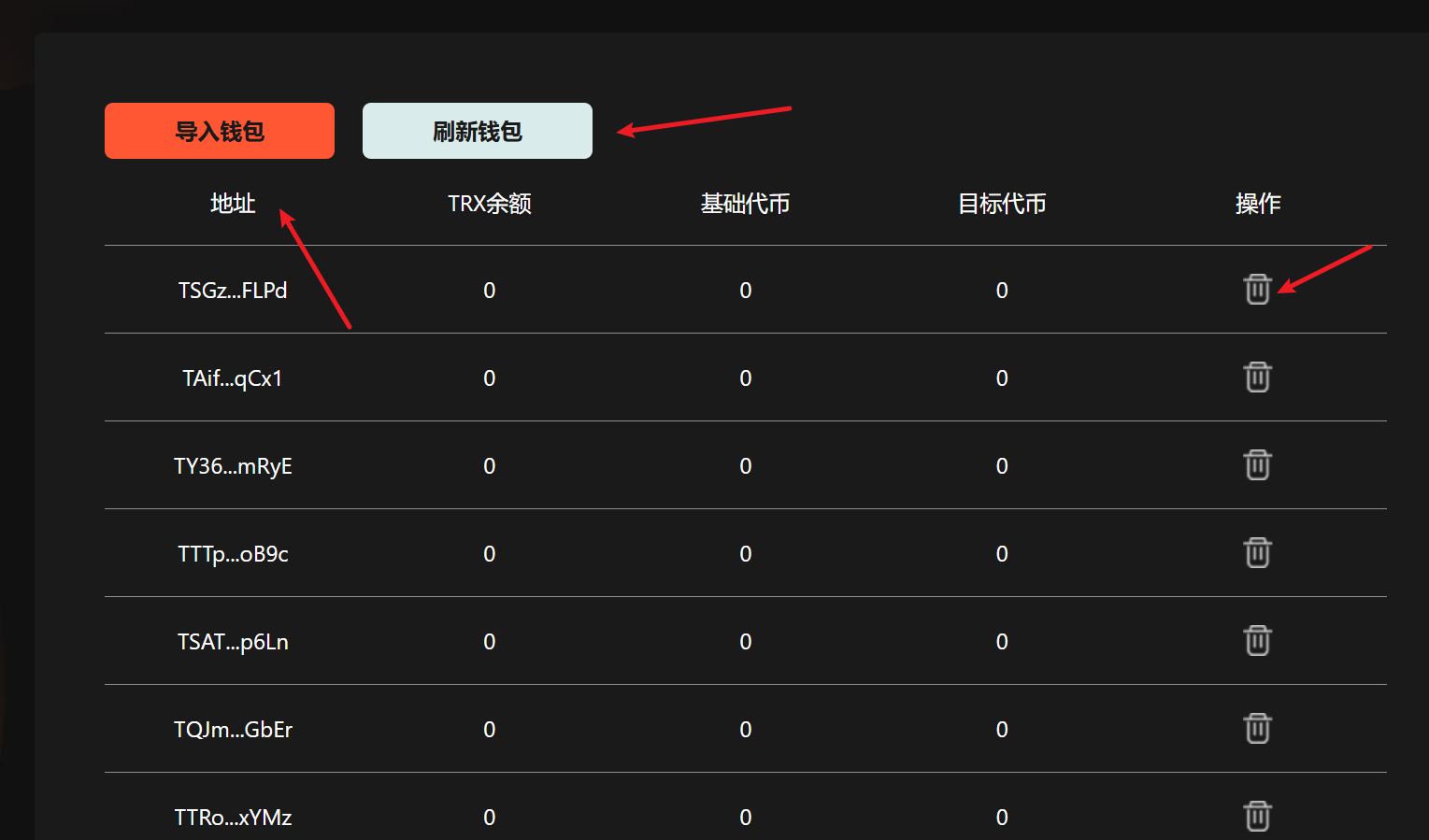
导入批量钱包，查询钱包余额，点击刷新钱包可刷新钱包的余额，点击删除操作按钮可删除钱包。

<figure><img src="/files/DaWLbFAFQTwnt1oOwIA1" alt=""><figcaption><p>导入钱包</p></figcaption></figure>

## 5.设置相关配置参数 <a href="#id-5.-she-zhi-xiang-guan-pei-zhi-can-shu" id="id-5.-she-zhi-xiang-guan-pei-zhi-can-shu"></a>

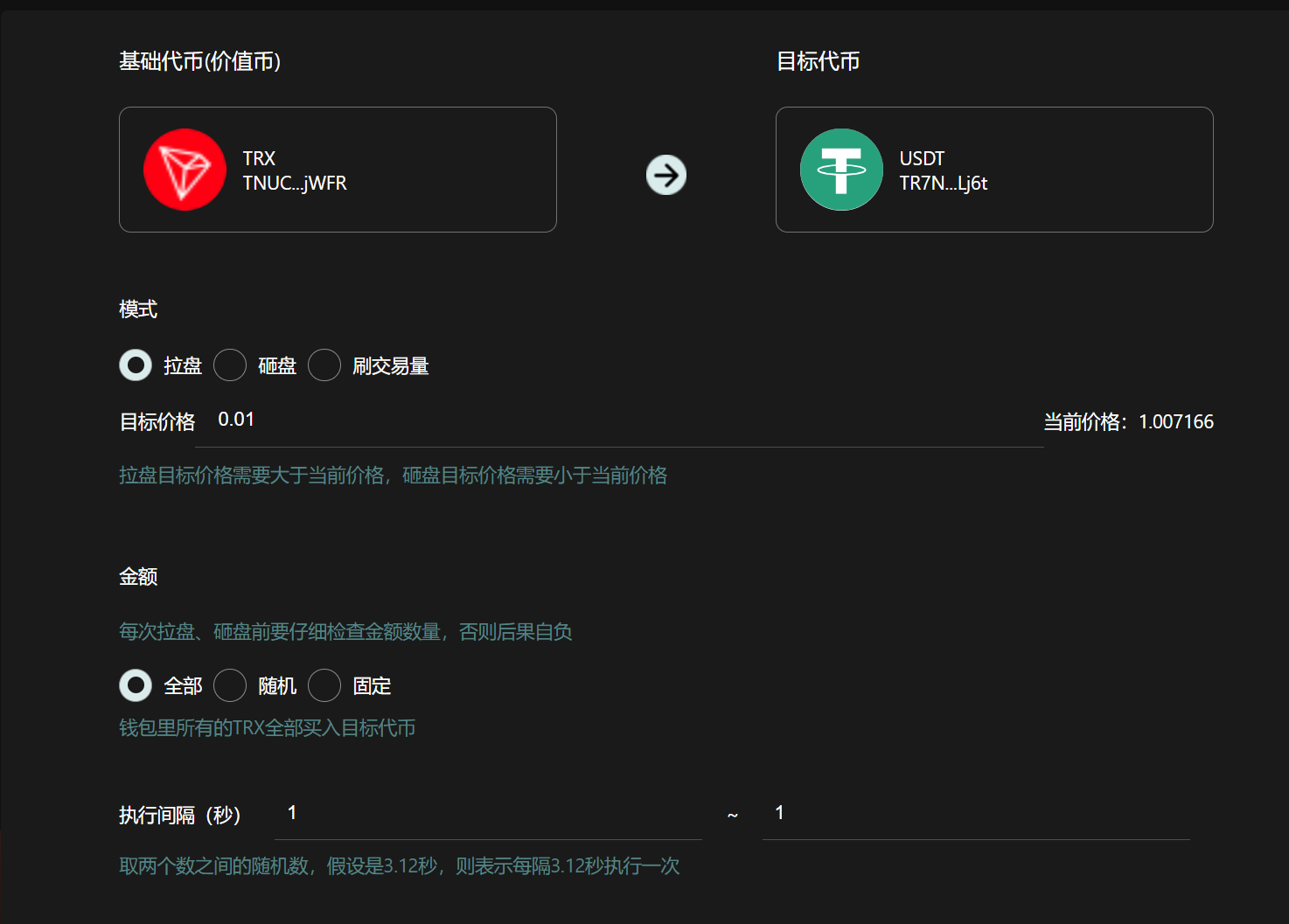
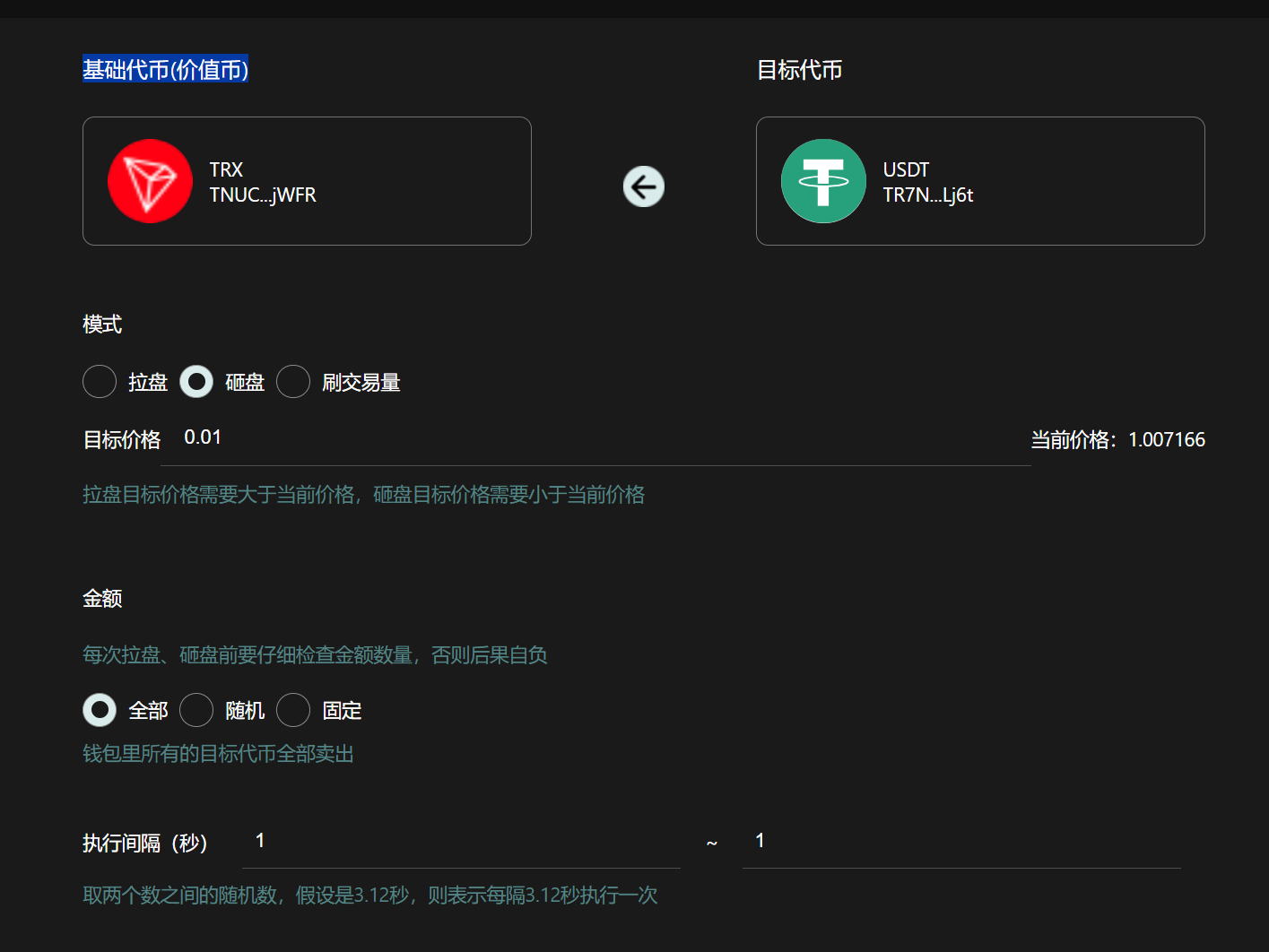
**交易模式：**&#x62C9;盘→买入代币；砸盘→卖出代币；刷交易量→随机买入和卖出。

**目标价格：**&#x62C9;盘模式下，目标价格要高于当前代币价格。砸盘模式下，目标价格要低于当前代币价格。

**金额：**&#x5728;拉盘模式下，这里的金额就是你所花费的TRX数量。在砸盘模式下，这里的金额就是你要出售的代币数量。

**全部：**&#x4E00;次性卖出所有代币，无视价格与滑点。

**随机：**&#x6839;据设置的金额范围，随机买入/卖出代币。

**固定：**&#x6309;照固定数额的TRX买入，或者按照固定数量的代币进行卖出。

**刷交易量：**&#x4E70;入概率就是执行买入操作的概率，反之卖出，买入金额为TRX的数量，卖出金额为代币的数量，卖出代币最小阈值是目标代币还剩多少就不会卖出只会买入。

**执行间隔：**&#x6BCF;次买入或者卖出之间的执行间隔时间，以秒为单位。

### 拉盘参数展示：

<figure><img src="/files/zwYzIDQYgQcPcfiXfZ3X" alt=""><figcaption><p>拉盘参数展示</p></figcaption></figure>

### 砸盘参数展示：

<figure><img src="/files/Ic7ySFflu5mws5kP8mZt" alt=""><figcaption><p>砸盘参数展示</p></figcaption></figure>

### 刷交易量参数展示：

<figure><img src="/files/Z07VRtsGE39QjDZ2bLtW" alt=""><figcaption><p>刷交易量参数展示</p></figcaption></figure>

## 6.开始批量交易 <a href="#id-6.-kai-shi-pi-liang-jiao-yi" id="id-6.-kai-shi-pi-liang-jiao-yi"></a>

可实时查看交易日志。

### 🤝 连接 GTokenTool <a href="#lian-jie-gtokentool" id="lian-jie-gtokentool"></a>

* **💬 Telegram社群**：[点击加入官方群组](https://t.me/gtokentool)
* **🐦 Twitter (X)**：[关注我们获取最新动态](https://x.com/gtokentool)
* **📚 官方文档**：[查看 Gitbook 文档](https://docs.gtokentool.com/)
* **💻 开源代码**：[访问 GitHub 仓库](https://github.com/Gtokentool/docs/blob/master/SUMMARY.md)
* **📺 视频教程**：[订阅 YouTube 频道](https://www.youtube.com/@GTokenTool)

> ⚠️ 风险提示与免责声明
>
> GTokenTool 保留随时全权酌情因任何理由修改、变更或取消此公告的权利，无需事先通知。
>
> 以上信息内容仅供参考，GTokenTool 对本平台上的任何虚拟资产、产品或促销活动不做任何推荐或保证。虚拟资产的价格波动很大，投资交易虚拟资产将面临巨大风险。**请谨慎投资。**


---

# Agent Instructions: Querying This Documentation

If you need additional information that is not directly available in this page, you can query the documentation dynamically by asking a question.

Perform an HTTP GET request on the current page URL with the `ask` query parameter:

```
GET https://docs.gtokentool.com/tron/tron-shi-zhi-ji-qi-ren-jiao-cheng.md?ask=<question>
```

The question should be specific, self-contained, and written in natural language.
The response will contain a direct answer to the question and relevant excerpts and sources from the documentation.

Use this mechanism when the answer is not explicitly present in the current page, you need clarification or additional context, or you want to retrieve related documentation sections.