> For the complete documentation index, see [llms.txt](https://docs.gtokentool.com/llms.txt). Markdown versions of documentation pages are available by appending `.md` to page URLs; this page is available as [Markdown](https://docs.gtokentool.com/qu-kuai-lian/tokenpocket-qian-bao-orca-shi-yong-jiao-cheng.md).
# TokenPocket钱包Orca使用教程
Orca是在Solana区块链上交易加密货币最简便的地方。在Orca上,您可以以低廉、迅速和充满信心的方式交易代币。此外,您还可以向Orca的流动性池之一提供流动性,包括集中流动性池(Whirlpools),以赚取交易费和代币发行。
## Orca使用教程
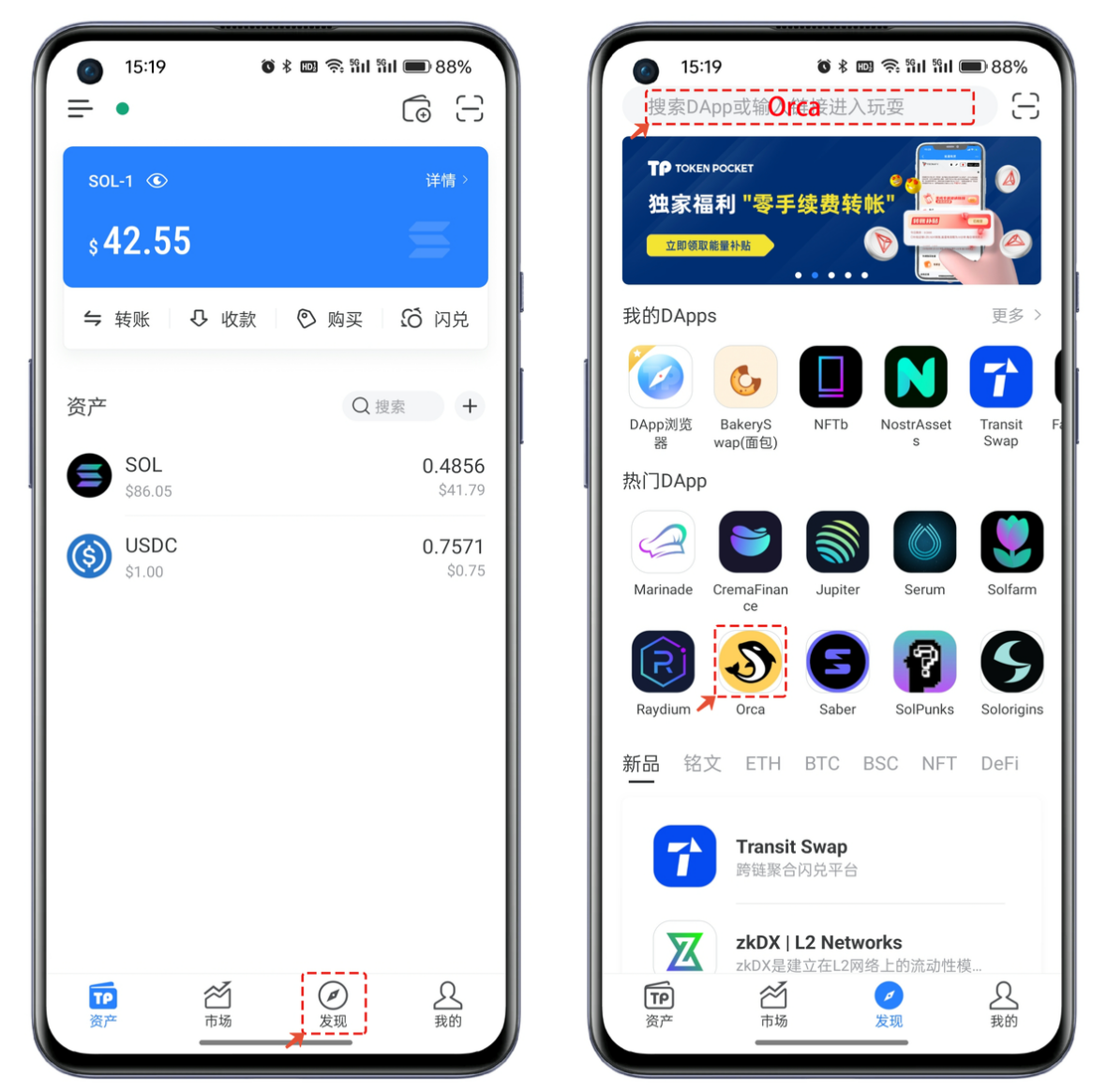
1、打开TokenPocket,点击【发现】,可以通过【热门DApp】或顶部地址栏中搜索【Orca】并打开DApp。
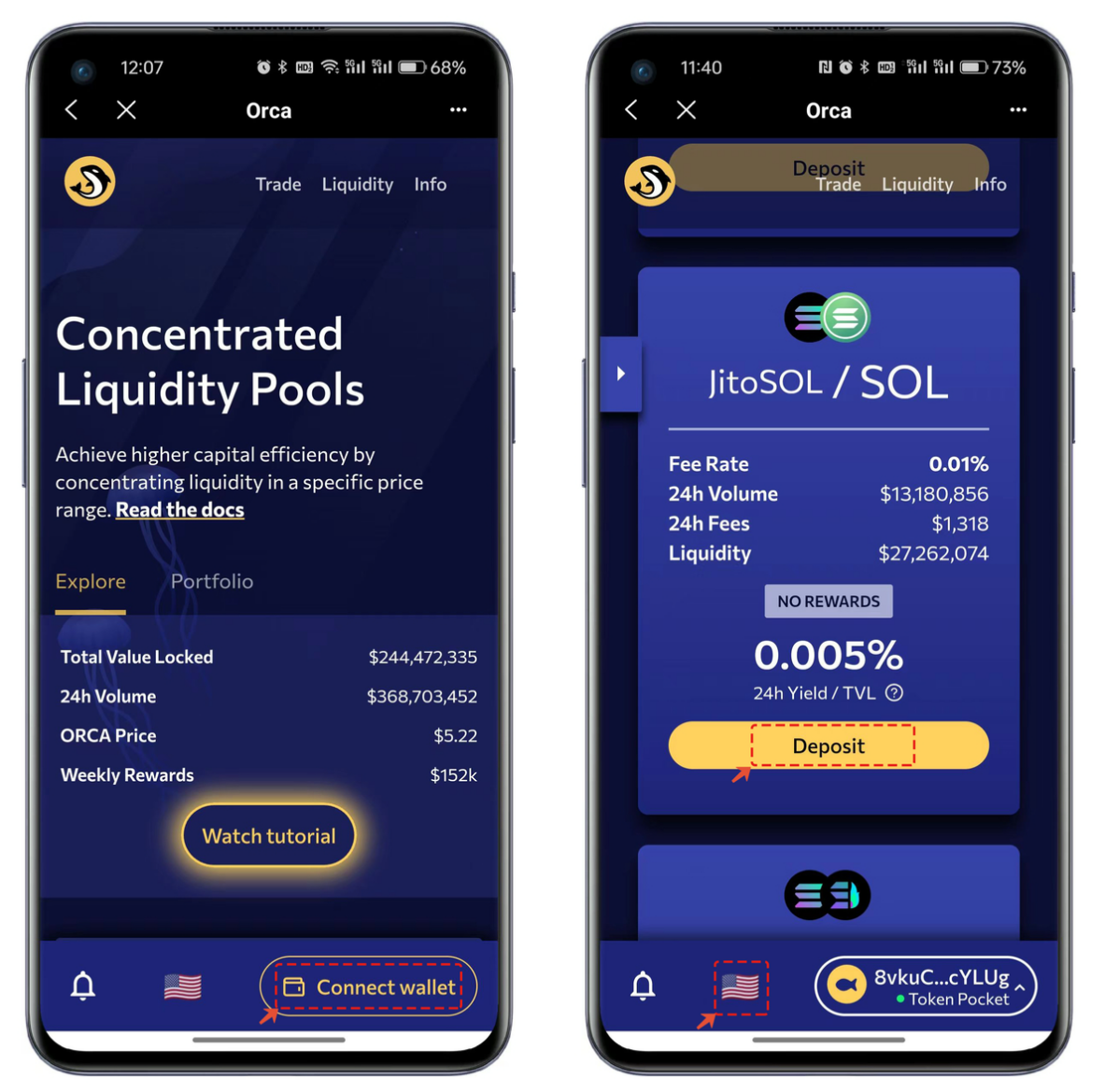
2、首次使用Orca需要点击【Connect Wallet】并选择TokenPocket连接钱包。
3、钱包连接成功后默认进入代币交易界面,点击【Buy】可以切换【Sell】控制买入和卖出的功能,其他的操作和日常的Swap功能类似,选择需要兑换的代币和数量,最后点击【Buy或Sell】进行链上操作。
4、如果需要查看交易的操作记录,可以点击【HISTORT】查询详情。左上角的菜单栏中可以展示Orca的完整功能,底部的语言切换可以选择其他支持的语言。
5、菜单中选择【Liquidity】,首次访问依然需要【Connect Wallet】,选择TokenPocket并链接后在列表中选择自己需要存入代币的组合,例如我这里选择jitoSOL/SOL,点击【Deposit】存入。
6、操作过程中可以根据自己的情况来选择观看官方的操作教程视频,当勾选操作须知后,点击【Get started】菜单进行跳转,在打开界面中设置存入的数量最后点击【Preview】进行上链签名操作。
如有不明白或者不清楚的地方,请加入官方电报群:[**https://t.me/gtokentool**](https://t.me/gtokentool)