# shib怎么提现到imtoken钱包 如何查看shib币钱包地址

shib一波一波的暴涨，对于一应上车的玩家来说是一件非常开心的事情。目前很多玩家都想将shib储存到数字钱包imtoken里面，那么操作呢？目前虚拟币提现一个重要的步骤就是钱包支持，shib币同样也不例外，那么shib币怎么提到imtoken钱包？shib币钱包地址怎么看呢？

## shib币怎么提币到imtoken钱包

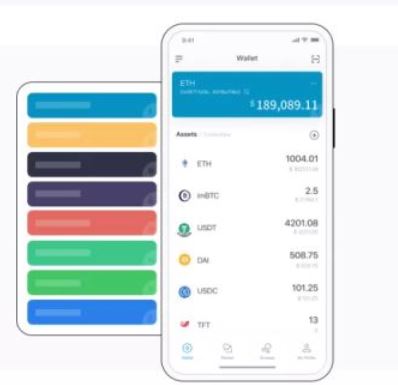
第一步，通过下载imToken钱包

<figure><img src="/files/gnkvw662pu9CQIgcHXe6" alt=""><figcaption></figcaption></figure>

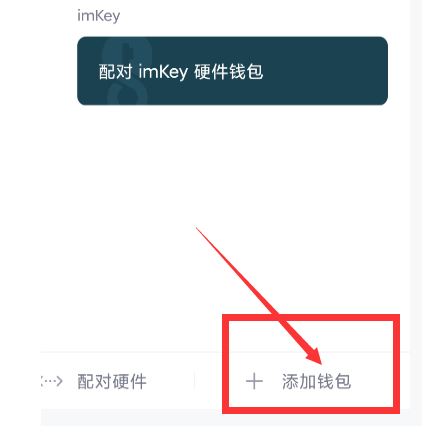
第二步，打开APP，点击我的，右下角创建钱包：

<figure><img src="/files/P9I44cYex0qPc6E1IWfp" alt=""><figcaption></figcaption></figure>

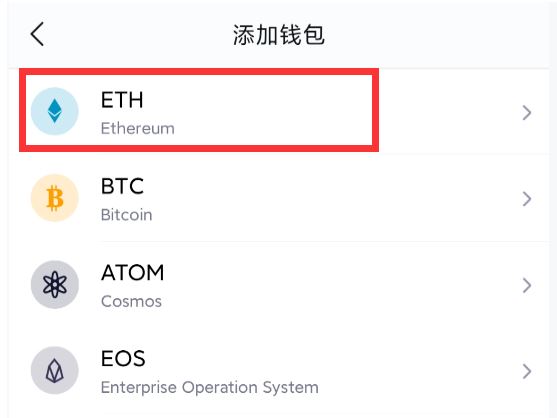
选择ETH

<figure><img src="/files/FzcfVQuMl370GIt1tcC1" alt=""><figcaption></figcaption></figure>

点击创建钱包：

<figure><img src="/files/tL6LOoNnBN6CX2QNR6JD" alt=""><figcaption></figcaption></figure>

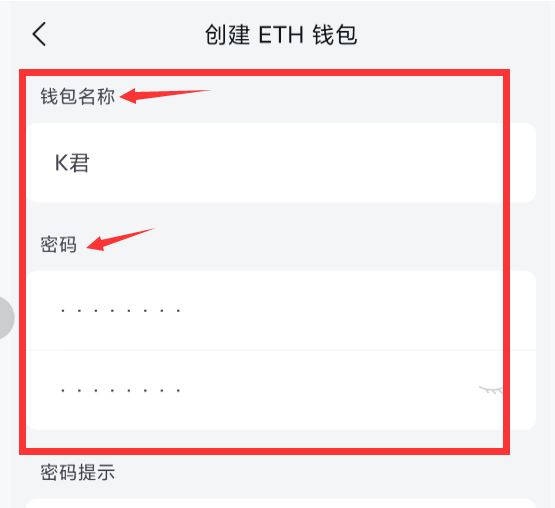
设置好钱包名称和密码：

<figure><img src="/files/S3CP4Olo3QtjpJvCKMN1" alt=""><figcaption></figcaption></figure>

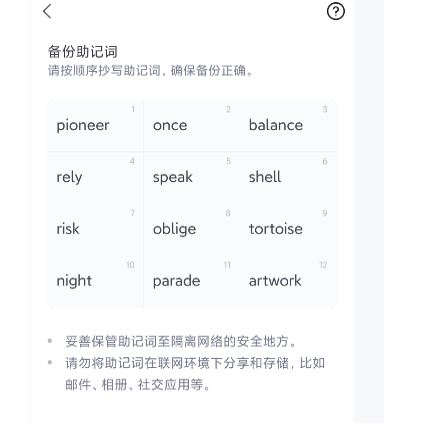
用纸把助记词抄写下来，请勿复制、截图等方式，不要让任何人知道；

<figure><img src="/files/N3PcIfKwvDgK69FHxf6X" alt=""><figcaption></figcaption></figure>

这样钱包就创建好了：

<figure><img src="/files/X5rqoCYikeXcz6Lv2JFA" alt=""><figcaption></figcaption></figure>

第三步，将交易所购买到的shib转到钱包：

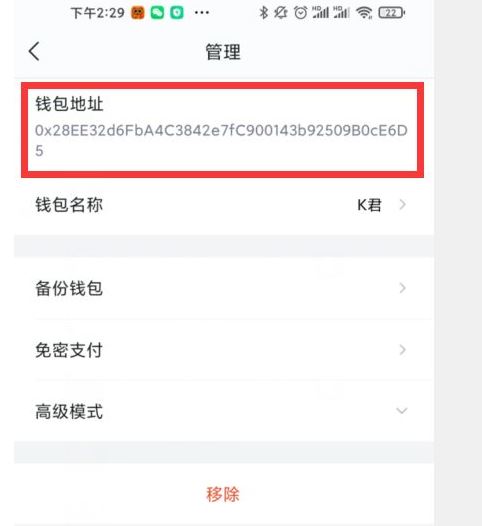
点开“k君”，复制地址（点击一下地址可直接复制）：

<figure><img src="/files/nxpJOQppQ4GeTehGD7x2" alt=""><figcaption></figcaption></figure>

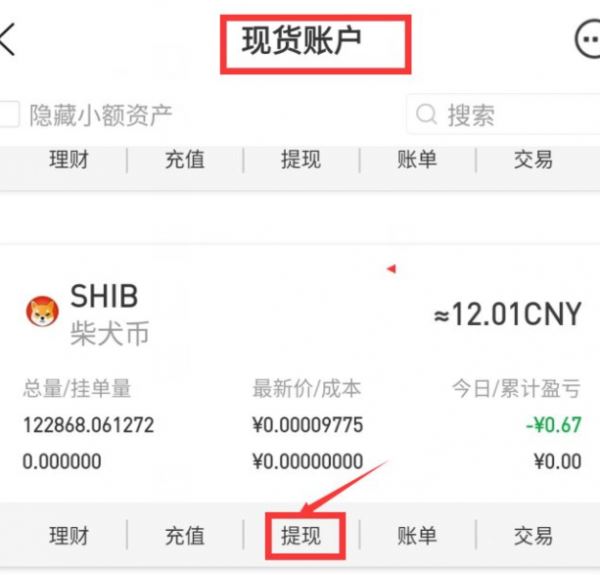
打开交易所现货账户，找到shib币，点击提现：

<figure><img src="/files/eyFyZN9jGMFPKpPZXhWP" alt=""><figcaption></figcaption></figure>

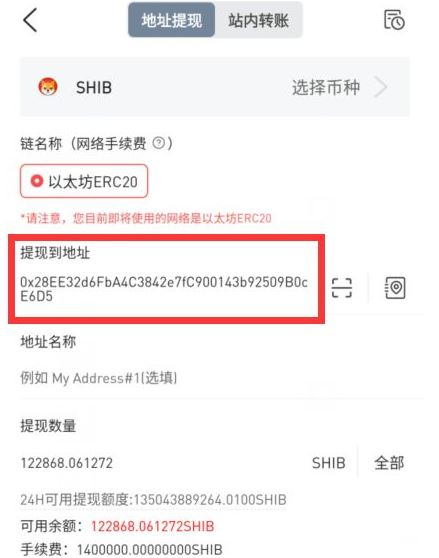
复制粘贴复制好的钱包地址，点击“申请到提现地址”即可完成提币到钱包。

<figure><img src="/files/seq4K7tMZRx8GiZt26RZ" alt=""><figcaption></figcaption></figure>

以上就是整个imToken提币的整个流程，同理，钱包转账到交易所套现，反过来即可。

## shib币钱包地址怎么看

以tokenpocket钱包为例，大家在创建了shib钱包之后（创作过程和imToken钱包是一样的，大家可以试一下），点开 SHIB 详情页，点击收款 ，获取收款地址和收款二维码 ，如图：

<figure><img src="/files/tsQbBDO0UwOX4VrgHwQx" alt=""><figcaption></figcaption></figure>

<figure><img src="/files/bfJlzwKbHyBURgc0xqlZ" alt=""><figcaption></figcaption></figure>

以上就是[**GTokenTool**](https://www.gtokentool.com)给大家分享的如何将shib储存到imtoken钱包的详细步骤了，如果大家有需要将shib存储打imtoken钱包里面，就按照此方法步骤。

如有不明白或者不清楚的地方，请加入官方电报群：<https://t.me/gtokentool>


---

# Agent Instructions: Querying This Documentation

If you need additional information that is not directly available in this page, you can query the documentation dynamically by asking a question.

Perform an HTTP GET request on the current page URL with the `ask` query parameter:

```
GET https://docs.gtokentool.com/qu-kuai-lian/shib-zen-me-ti-xian-dao-imtoken-qian-bao-ru-he-cha-kan-shib-bi-qian-bao-di-zhi.md?ask=<question>
```

The question should be specific, self-contained, and written in natural language.
The response will contain a direct answer to the question and relevant excerpts and sources from the documentation.

Use this mechanism when the answer is not explicitly present in the current page, you need clarification or additional context, or you want to retrieve related documentation sections.