# Solana Remove Liquidity Tutorial

## Solana Remove Liquidity Process

### 1.  Connect your wallet

Enter the GTokenTool Remove Liquidity page and connect your wallet in the upper right corner. Then, select <mark style="color:purple;">Main</mark> network.&#x20;

Remove Liquidity Link: <https://sol.gtokentool.com/liquidityManagement/remove>

<figure><img src="https://303994609-files.gitbook.io/~/files/v0/b/gitbook-x-prod.appspot.com/o/spaces%2FjvjuVZbKY9RY73UABdWK%2Fuploads%2F7FZTCdoQ6btRlamTKkFE%2FSnipaste_2026-03-16_15-10-21.png?alt=media&#x26;token=17f2dad3-cc28-48e0-b486-217a06f997f8" alt=""><figcaption></figcaption></figure>

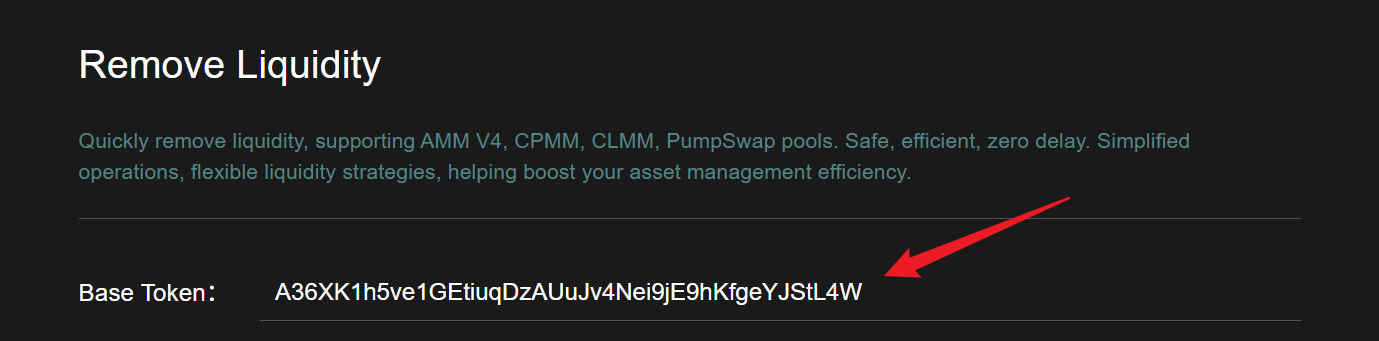
### 2. Enter the base token address

<figure><img src="https://303994609-files.gitbook.io/~/files/v0/b/gitbook-x-prod.appspot.com/o/spaces%2FjvjuVZbKY9RY73UABdWK%2Fuploads%2F9c3PIqezq9uXEKlhHdnf%2FSnipaste_2026-03-16_15-10-51.png?alt=media&#x26;token=59c048ed-da9e-45d4-8da7-b932a137b01b" alt=""><figcaption></figcaption></figure>

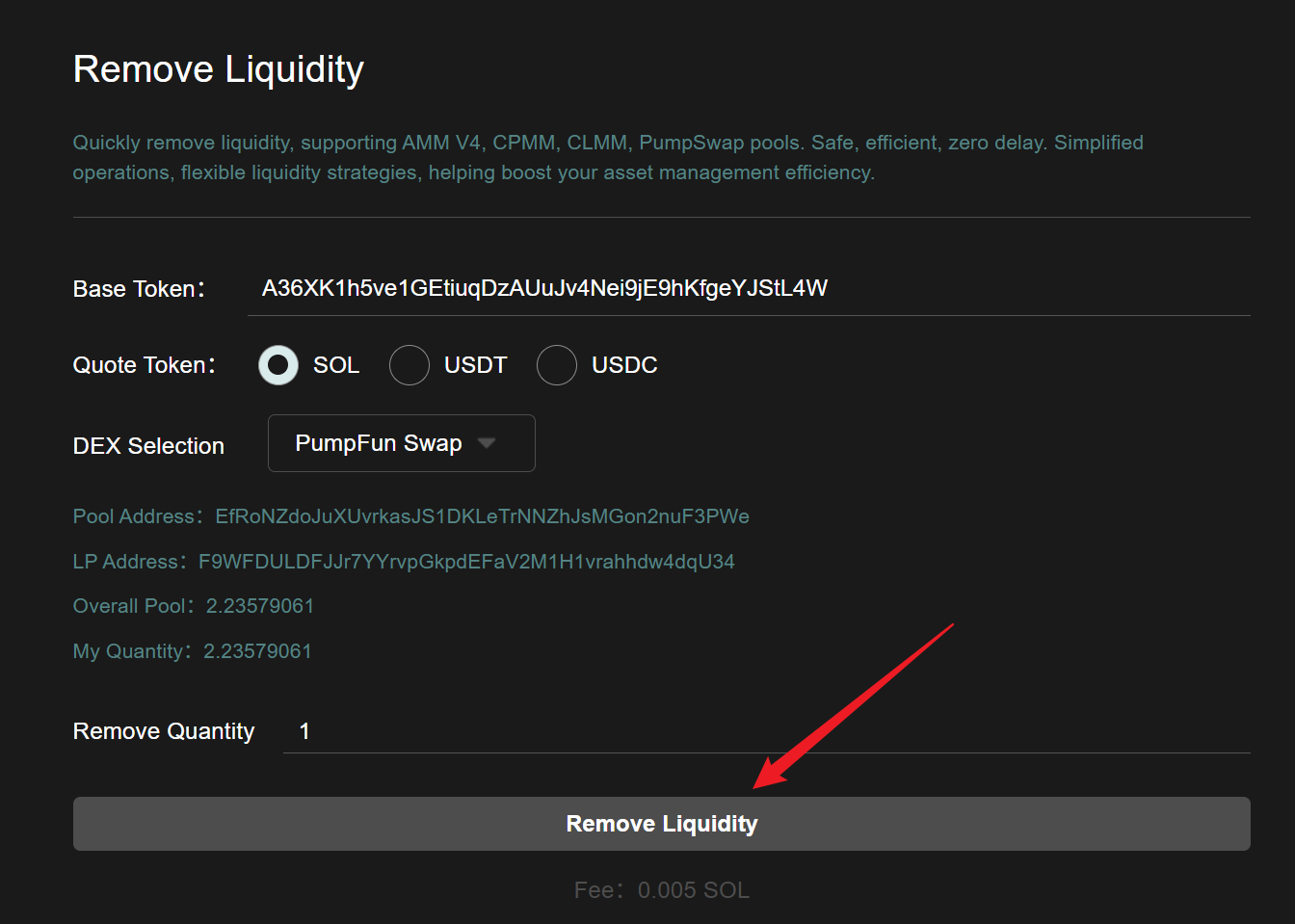
### 3. Select the corresponding quoted token

<figure><img src="https://303994609-files.gitbook.io/~/files/v0/b/gitbook-x-prod.appspot.com/o/spaces%2FjvjuVZbKY9RY73UABdWK%2Fuploads%2FuVaSso44I0srrD51jAHm%2FSnipaste_2026-03-16_15-11-05.png?alt=media&#x26;token=6a15907f-128c-4ed0-916f-22f043b53e76" alt=""><figcaption></figcaption></figure>

### 4. Select the corresponding DEX

After selection, the corresponding pool information and my holdings will be displayed below. (Supports Raydium AMM, Raydium CPMM, Raydium CLMM, and PumpFun Swap liquidity pools)

<figure><img src="https://303994609-files.gitbook.io/~/files/v0/b/gitbook-x-prod.appspot.com/o/spaces%2FjvjuVZbKY9RY73UABdWK%2Fuploads%2FSaKp61NpqsPJPFUCNmKQ%2FSnipaste_2026-03-16_15-14-04.png?alt=media&#x26;token=94bfb0bf-d027-4178-9330-8666839cd478" alt=""><figcaption></figcaption></figure>

### 5. Input removal quantity

<figure><img src="https://303994609-files.gitbook.io/~/files/v0/b/gitbook-x-prod.appspot.com/o/spaces%2FjvjuVZbKY9RY73UABdWK%2Fuploads%2FIeCcvgYslGydgqPBk9UR%2FSnipaste_2026-03-16_15-14-34.png?alt=media&#x26;token=c3a6fd0b-976c-47de-98ac-cce6dd97dada" alt=""><figcaption></figcaption></figure>

### 6. Click"Remove Liquidity"

<figure><img src="https://303994609-files.gitbook.io/~/files/v0/b/gitbook-x-prod.appspot.com/o/spaces%2FjvjuVZbKY9RY73UABdWK%2Fuploads%2FfT4Ndlx8O9D01FraJLcG%2FSnipaste_2026-03-16_15-14-44.png?alt=media&#x26;token=7f04c8a9-7c28-4c99-9bf9-b8c76e7858cd" alt=""><figcaption></figcaption></figure>

After the wallet pops up, click "`Confirm`" to complete the transaction.

<figure><img src="https://303994609-files.gitbook.io/~/files/v0/b/gitbook-x-prod.appspot.com/o/spaces%2FjvjuVZbKY9RY73UABdWK%2Fuploads%2FXnDhw6fncGIV7QFZOsnT%2FSnipaste_2026-03-16_15-20-13.png?alt=media&#x26;token=2409fa4a-c102-4bba-a76b-486b6fa6d471" alt=""><figcaption></figcaption></figure>

If you have any questions or are unclear, please join the official Telegram group: <https://t.me/GToken_EN>