# BSC一键发币教程

## 1、什么是BSC链？ <a href="#id-1-jie-shao" id="id-1-jie-shao"></a>

BSC（Binance Smart Chain，币安智能链）是币安（Binance）推出的区块链网络，旨在为去中心化应用（DApps）和智能合约提供高性能、低成本的运行环境。后更名为 BNB Chain（以币安平台代币BNB命名），但许多人仍习惯称其为BSC。

## 2、BSC一键发币流程 <a href="#id-2-cao-zuo-bu-zhou" id="id-2-cao-zuo-bu-zhou"></a>

提示：请先安装小狐狸钱包插件，教程：<https://docs.gtokentool.com/fu-zhu-xin-xi/metamask-installation>

### **(1) 连接钱包**

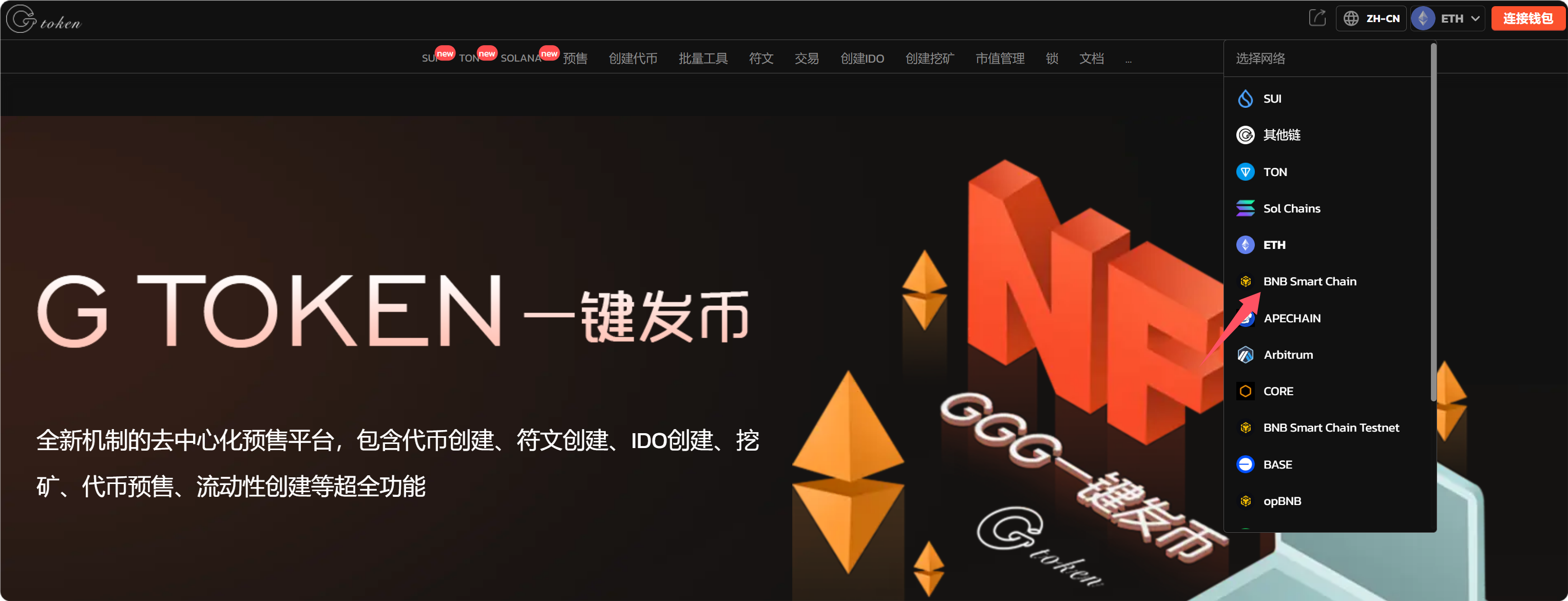
进入[GTokenTool](https://www.gtokentool.com)，点击右上角选择，BSC链。

<figure><img src="/files/57GgeAdqbaPMcBBV1ofn" alt=""><figcaption><p>选择BSC链</p></figcaption></figure>

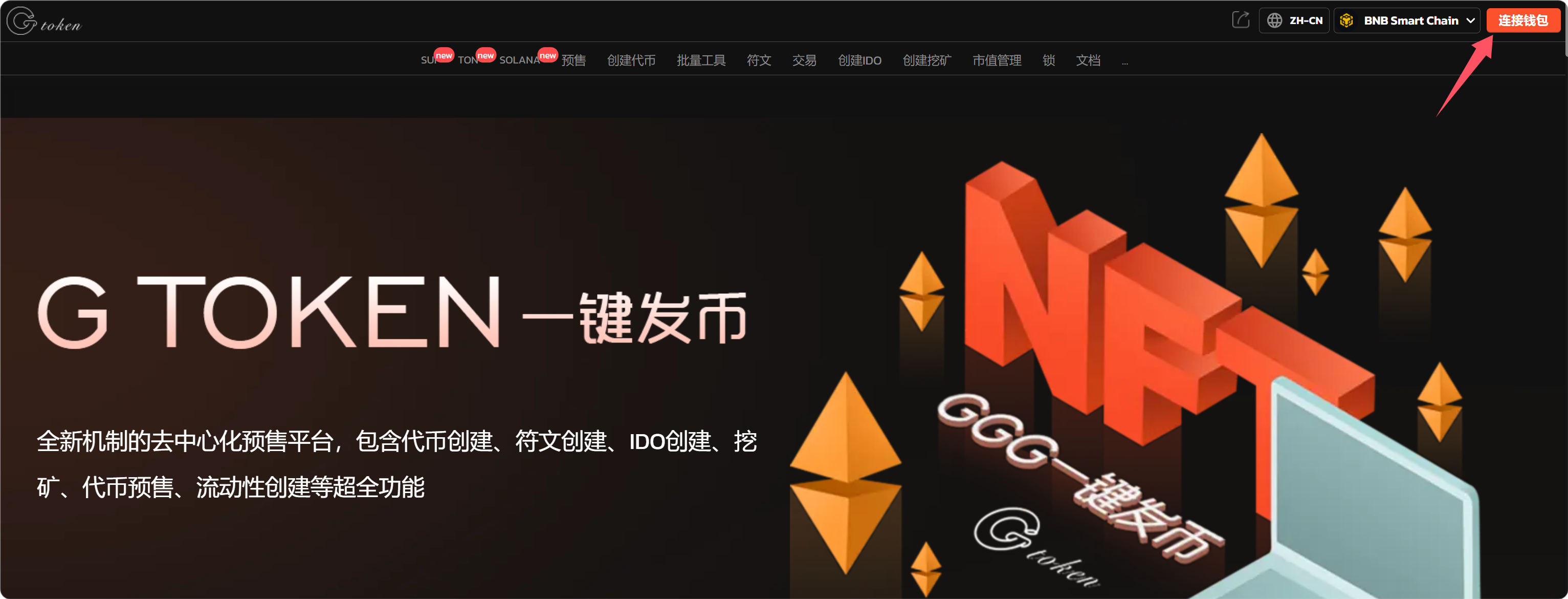
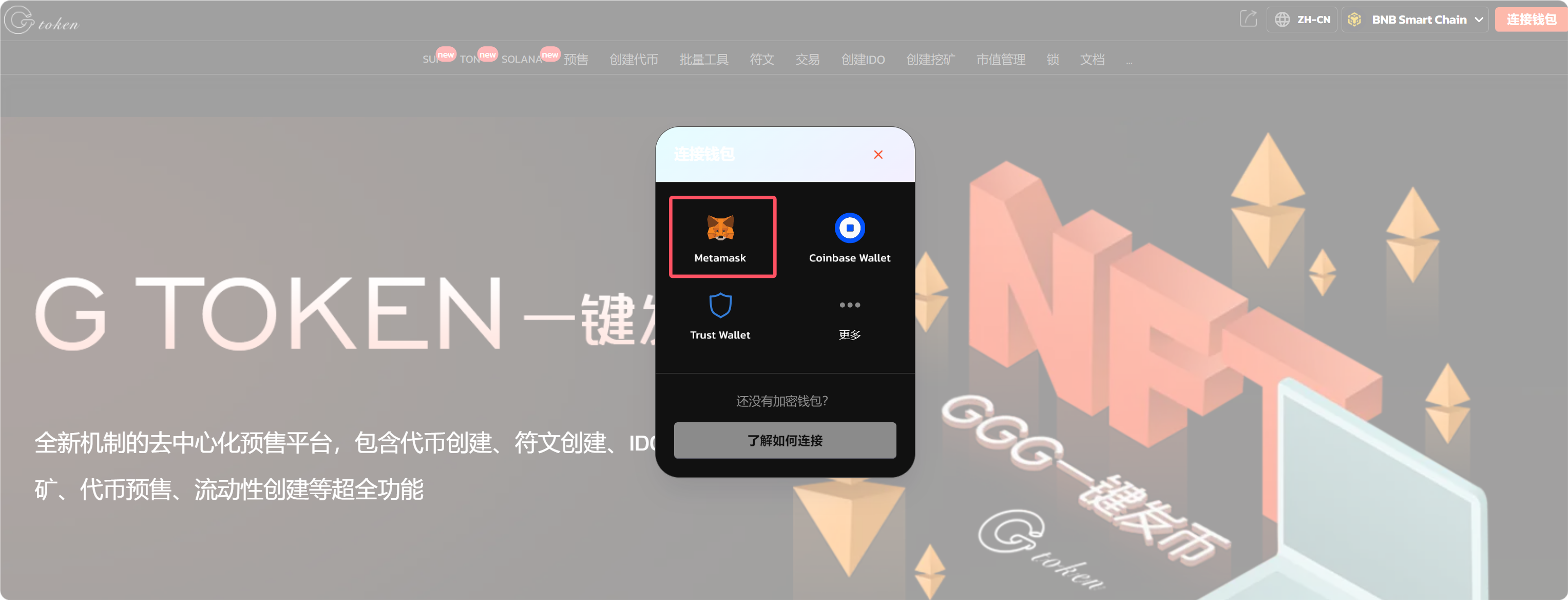
点击连接钱包，选择小狐狸钱包。

<figure><img src="/files/5AIocStPO4LqWBpjgCNb" alt=""><figcaption><p>连接钱包</p></figcaption></figure>

<figure><img src="/files/cZUBTZ3DZY0oJzxGiyLG" alt=""><figcaption><p>选择小狐狸钱包</p></figcaption></figure>

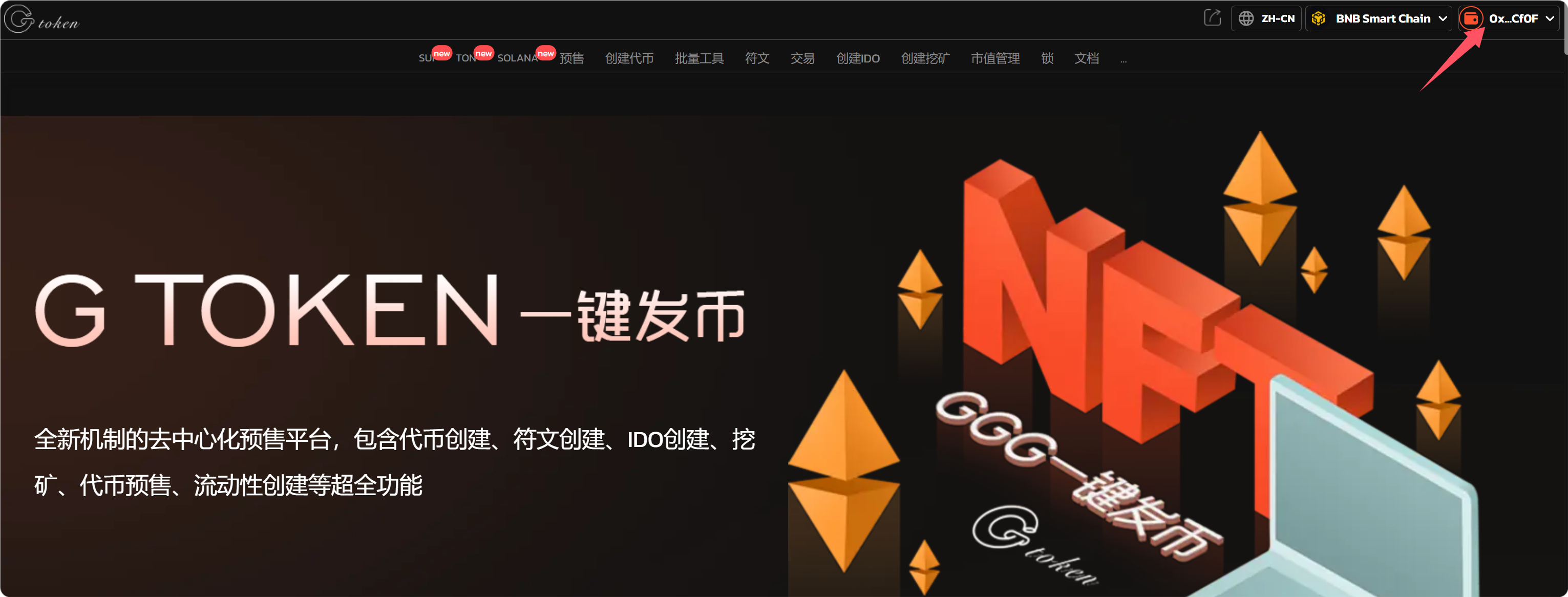
连接成功后，就可以看到钱包地址。

<figure><img src="/files/rbvKXQgBtG3MBxe5arOA" alt=""><figcaption><p>连接钱包成功</p></figcaption></figure>

### **(2) 填写您的BSC代币信息**

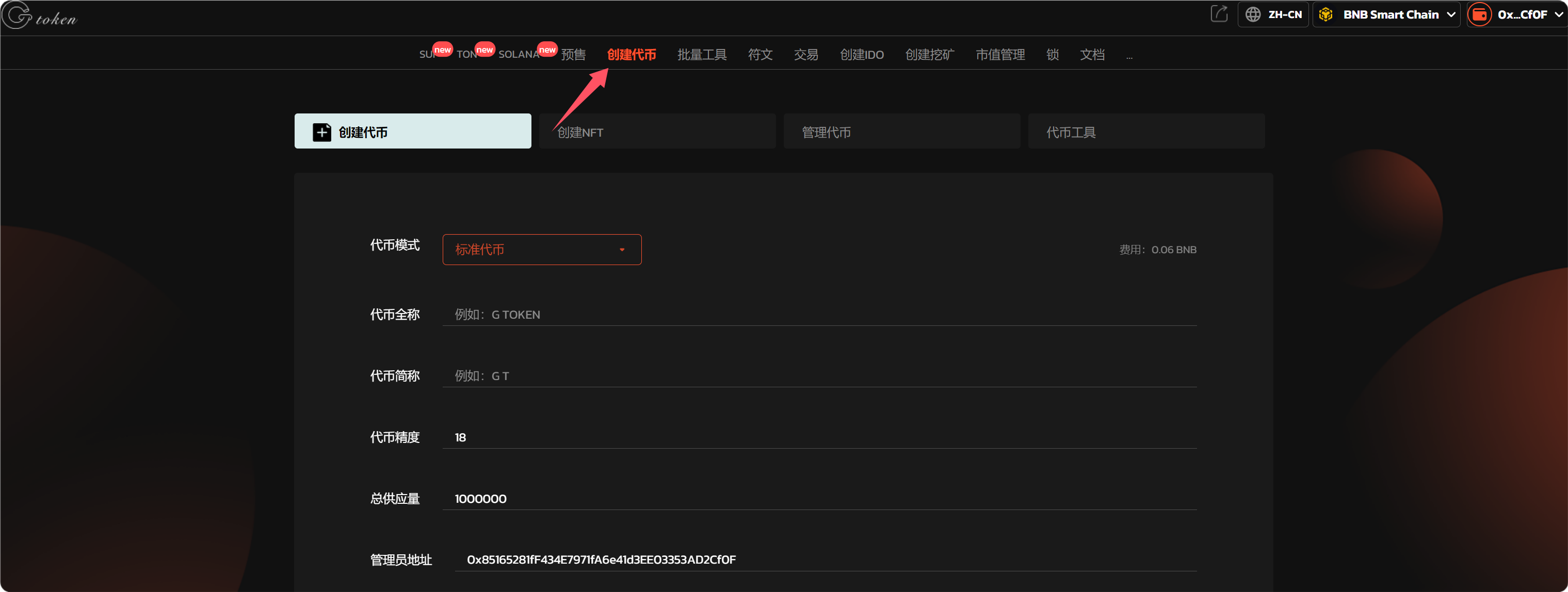
点击下面的链接进入BSC发币工具界面。

BSC发币工具：<https://www.gtokentool.com/tokenfactory>

<figure><img src="/files/KBPGk7PDRk5P8yhpNRWg" alt=""><figcaption><p>进入创建代币</p></figcaption></figure>

依次填写代币信息，假设我们创建一个代币叫——“GTokenTool”，填写如下：

<figure><img src="/files/k0mXv9RF8kFhHwohYjfX" alt=""><figcaption><p>填写代币信息</p></figcaption></figure>

* **代币全称：**&#x47;TokenTool
* **代币简称：**&#x47;T
* **代币精度：**&#x31;8（小数点后的位数）
* **总供应量：**&#x31;000000（代币数量）

填写选项内容

* 官网
* 电报
* 推特

<figure><img src="/files/oT4T6SNo5BeqtZIINCAl" alt=""><figcaption><p>添加联系方式</p></figcaption></figure>

填写完成后，点击“`创建`”。

### **(3) 完成BSC发币流程**

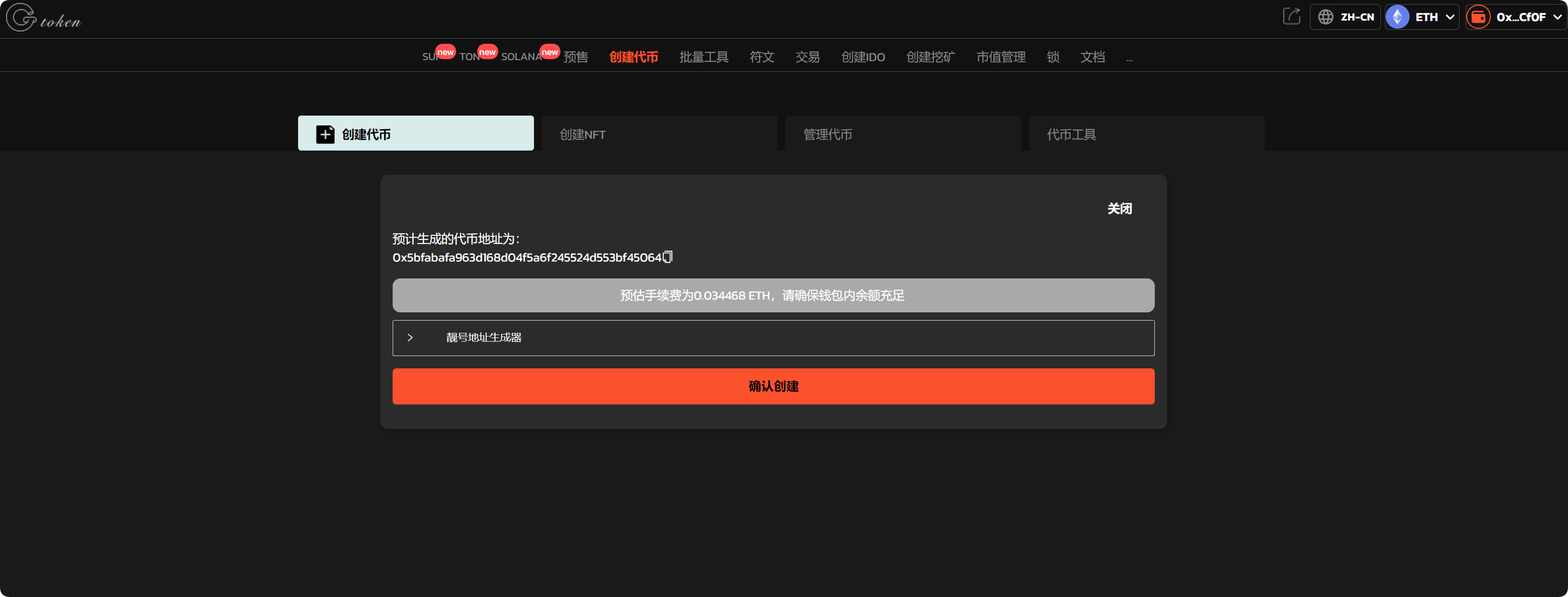
点击 “`确认创建`” ，在小狐狸钱包支付gas费，就完成了。

（注：因为每个用户网络速度不同，支付gas费用时可能会延迟1、2秒，属正常现象。）

<figure><img src="/files/vGeQClJ2QGaMWQ1Kt4EJ" alt=""><figcaption><p>确认创建</p></figcaption></figure>

以上就是关于BSC发币的整个流程。

## ❓常见问题 FAQ

### Q: 代币小数位填多少合适？

**A:** 通用默认 **18 位**，全网 DEX、钱包、交易所全部兼容；不建议修改为 6/9 位，容易导致交易、添加流动性出错。

### Q: 代币总量怎么设置？

**A:** 无固定限制，常用：1 万亿 / 100 万亿 / 10 亿；总量一旦部署**不可随意修改**，填写前确认好。

### Q: 可以预留团队币、销毁部分初始代币吗？

**A:** 可以。部署后可手动转账销毁、锁定团队份额；也可部署时直接写入销毁地址，减少流通量。

### Q: 创建完代币怎么导入钱包？

**A:** 复制代币合约地址，在 TP、小狐狸、Bitget 钱包内**自定义添加代币**，BSC 网络下粘贴地址即可自动识别余额。

### 🤝 连接 GTokenTool <a href="#lian-jie-gtokentool" id="lian-jie-gtokentool"></a>

* **💬 Telegram社群**：[点击加入官方群组](https://t.me/gtokentool)
* **🐦 Twitter (X)**：[关注我们获取最新动态](https://x.com/gtokentool)
* **📚 官方文档**：[查看 Gitbook 文档](https://docs.gtokentool.com/)
* **💻 开源代码**：[访问 GitHub 仓库](https://github.com/Gtokentool/docs/blob/master/SUMMARY.md)
* **📺 视频教程**：[订阅 YouTube 频道](https://www.youtube.com/@GTokenTool)

> ⚠️ 风险提示与免责声明
>
> GTokenTool 保留随时全权酌情因任何理由修改、变更或取消此公告的权利，无需事先通知。
>
> 以上信息内容仅供参考，GTokenTool 对本平台上的任何虚拟资产、产品或促销活动不做任何推荐或保证。虚拟资产的价格波动很大，投资交易虚拟资产将面临巨大风险。**请谨慎投资。**


---

# Agent Instructions: Querying This Documentation

If you need additional information that is not directly available in this page, you can query the documentation dynamically by asking a question.

Perform an HTTP GET request on the current page URL with the `ask` query parameter:

```
GET https://docs.gtokentool.com/chuang-jian-dai-bi/bsc-yi-jian-fa-bi-jiao-cheng.md?ask=<question>
```

The question should be specific, self-contained, and written in natural language.
The response will contain a direct answer to the question and relevant excerpts and sources from the documentation.

Use this mechanism when the answer is not explicitly present in the current page, you need clarification or additional context, or you want to retrieve related documentation sections.